Introduction
In recent months, I have been exploring the rapidly growing landscape of AI tools used in architecture, including solutions like ReRender AI and many others emerging across the industry. As more companies release new features and specialized workflows, it has become increasingly clear that AI is reshaping how architects design, visualize, and communicate ideas.
In this article, I summarize the common AI applications I’m seeing in the market today and share insights on how these tools are being used in real architectural practice. I also hope to spark discussion with readers and professionals—what tools are you using, and how are they influencing your design process?A.Visualization
One of the most common uses of AI in architecture today is generating high-quality renderings without traditional rendering software. Many designers, students, and even clients need quick visualization results but may not be familiar with complex tools like V-Ray, Enscape, or Blender. ReRender AI helps fill this gap by allowing users to transform simple sketches, massing models, or reference images into polished architectural visuals.

Sketchup model
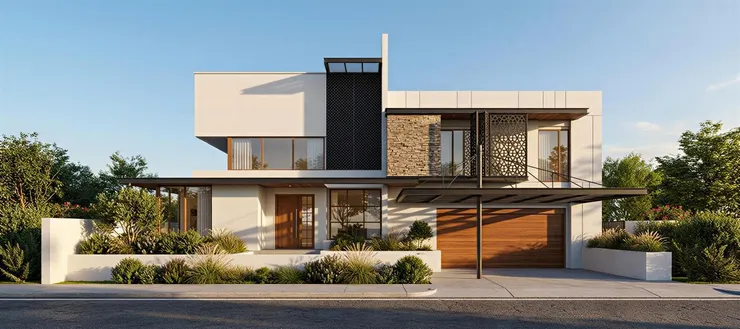
ReRender

Vray
B. Exploration
AI has also become a powerful tool for design exploration, allowing architects to experiment with multiple concepts in seconds. By using a base model—such as a simple Revit massing or schematic layout—AI tools can generate a wide range of stylistic variations and environmental contexts. For example, the same architectural form can be visualized in a green forest, a beachfront setting, or a dense urban environment, helping designers quickly evaluate mood, atmosphere, and spatial relationships. This ability to shift between scenarios and iterate rapidly leads to better-informed design decisions and a more efficient creative process. The final result is a set of diverse visual options that would traditionally take hours or days to produce.

Revit model
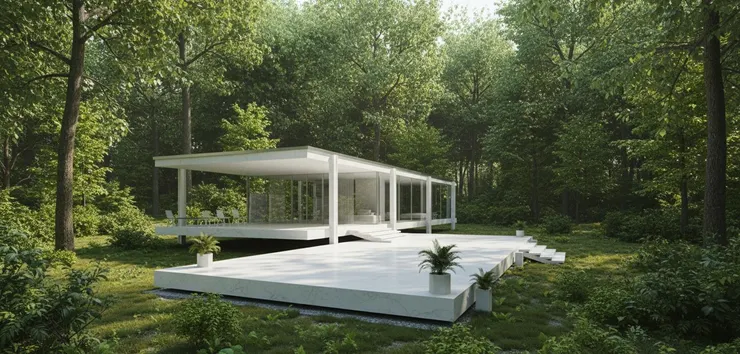
ReRender Green forest

ReRender Beachfront

ReRender Urban

Final Result
C.Ideation
AI is also transforming the early ideation phase, especially when working with massing and volumetric studies. Instead of manually testing dozens of forms, architects can now input basic shapes or mass volumes and let AI generate a variety of conceptual possibilities. These AI-assisted iterations help reveal unexpected proportions, façades, spatial rhythms, and design directions that might not emerge through traditional sketching alone. By rapidly exploring alternatives, architects can focus more on creativity and decision-making rather than repetitive modeling tasks. This approach accelerates the conceptual stage and provides a broader foundation of ideas before moving into detailed development.

massing and volumetric
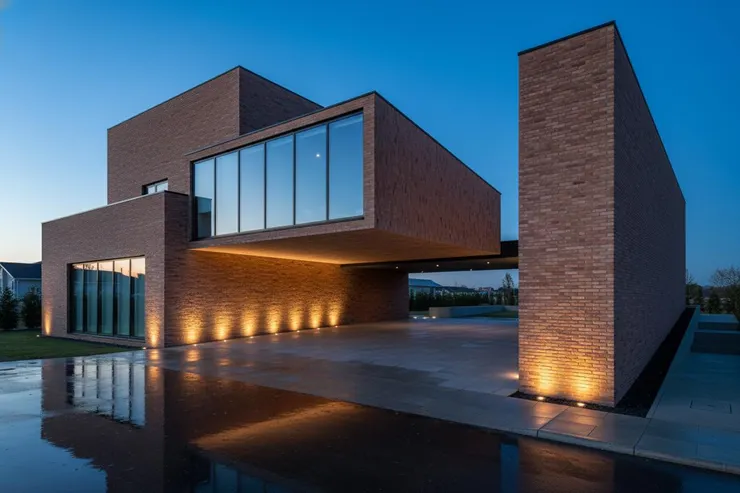
ReRender


D. Post processing
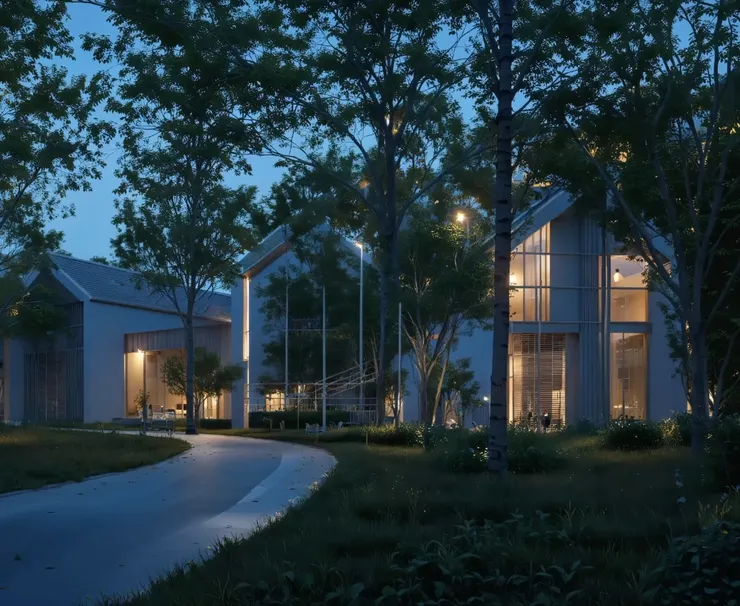
Beyond design and visualization, AI is becoming an essential tool for architectural post-processing. These features allow designers to refine images quickly and tailor them for different presentation needs.
- Season Adjustment: AI can instantly transform the same scene into summer, winter, spring, or autumn, helping architects present projects across different environmental conditions without re-rendering.
- Upscaling: Low-resolution images can be enhanced to high-resolution outputs, preserving sharpness and detail for presentations, portfolios, or client reviews.
- Material Changes: AI enables fast material swapping—turning concrete into wood, glass into metal, or adjusting textures—allowing architects to try different design palettes without modifying the original model.
- Lighting Control: By adjusting light direction, intensity, or mood, AI tools make it easy to explore daytime, dusk, or night scenarios, improving the atmospheric quality of the final visual.
These post-processing capabilities save significant time and help designers create more polished and versatile visual outputs without additional rendering work.


ReRender

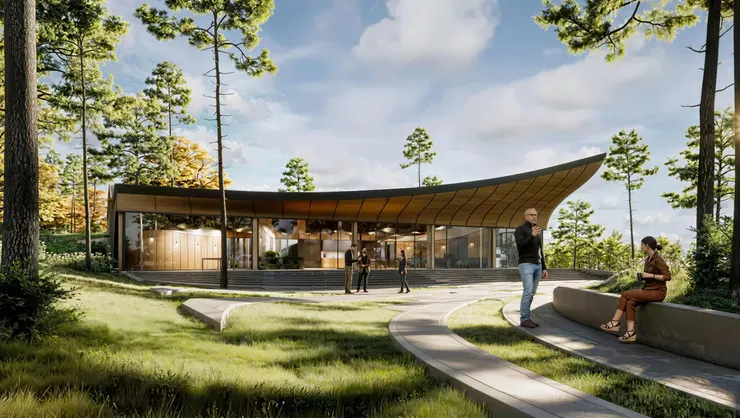
ReRender



Conclusion
As AI continues to evolve, its role in architecture is becoming more meaningful—not as a replacement for designers, but as a tool that enhances creativity, efficiency, and communication. Whether it is generating quick visualizations, exploring alternative design directions, developing early massing ideas, or refining post-processed images, AI offers new ways for architects to work faster and think more broadly. Yet, the essence of architecture remains deeply human: understanding context, solving spatial problems, and creating meaningful places for people.
My goal in sharing this summary is not to claim what AI “should” be, but to open a conversation about how we, as a community, can integrate these tools thoughtfully. Every architect and designer may have different workflows, different challenges, and different expectations from technology. I hope these examples of Render AI and other AI applications can serve as a reference point—or perhaps inspiration—for your own explorations.
I would love to hear what tools you are using, how they support your work, and what concerns or opportunities you see ahead. By learning from each other, we can shape an approach to AI in architecture that remains grounded, responsible, and focused on elevating our craft.
ReRender: https://rerenderai.com/