
Introduction
As technology continues to evolve, the way architects create and communicate exterior design is quietly—but fundamentally—changing. Today, when architects search for Render AI Exterior tools, they are no longer just looking for speed. They are searching for smarter, more intuitive ways to transform early design ideas into compelling, realistic visuals.
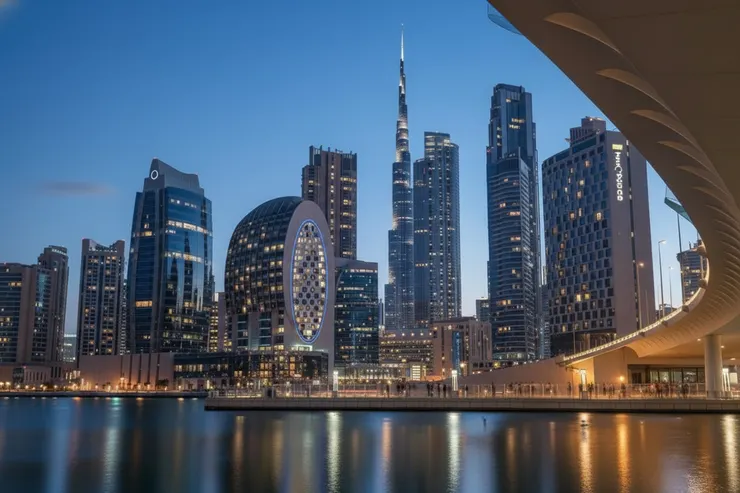
Imagine standing before the Burj Khalifa at dusk. The glass façade reflects the warm tones of the desert sky, the surrounding towers fade softly into the background, and the atmosphere feels unmistakably real. Now consider this: what if the image you’re looking at isn’t a photograph at all?The truth is, this Burj Khalifa exterior scene did not come from a camera. It began as a simple architectural sketch—basic massing, rough lines, and conceptual intent. Through a Render AI Exterior workflow, that sketch was transformed into a photorealistic visualization that captures light, material, scale, and emotion with remarkable accuracy.
In this article, we’ll explore how ReRender AI enables architects to visualize Dubai architecture more efficiently, breaking down the AI-driven process behind exterior rendering and examining what this shift means for modern architectural workflows, design communication, and the future of iconic skyline creation.
ReRender
ReRender
Step 1: Upload the Burj Khalifa Concept Sketch
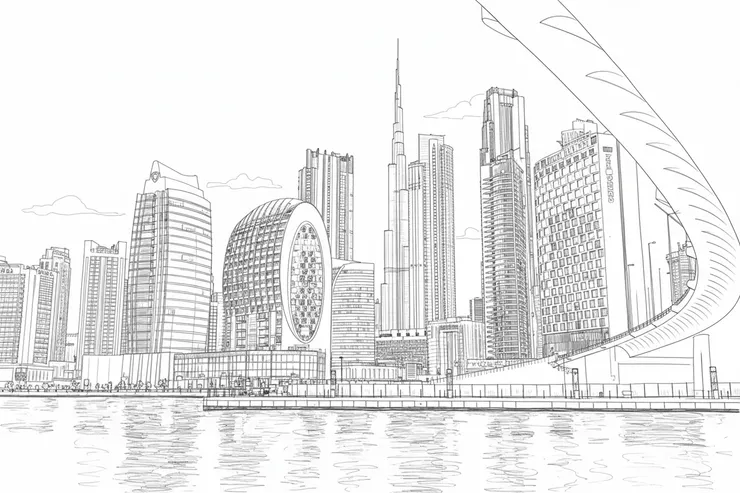
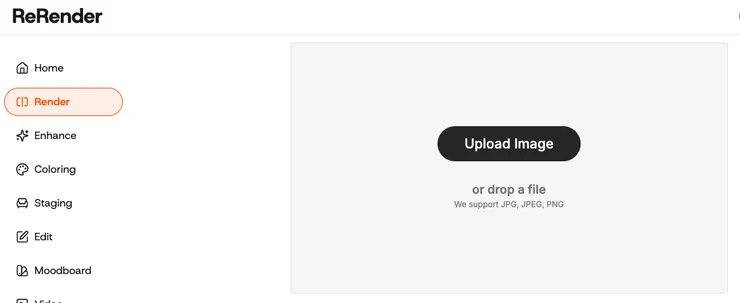
The workflow begins by uploading a hand-drawn concept sketch of the Burj Khalifa into the ReRender AI platform. This initial sketch acts as the structural backbone of the AI-driven exterior rendering process, enabling the system to interpret vertical proportions, façade rhythm, perspective, and environmental lighting unique to supertall architecture. By starting with a clear massing and well-defined outline, the AI can accurately preserve the iconic tapering form of the Burj Khalifa while enhancing it with realistic materials, depth, and atmospheric detail suitable for Dubai’s skyline.
ReRender
Step 2: Uploading the Reference Photos
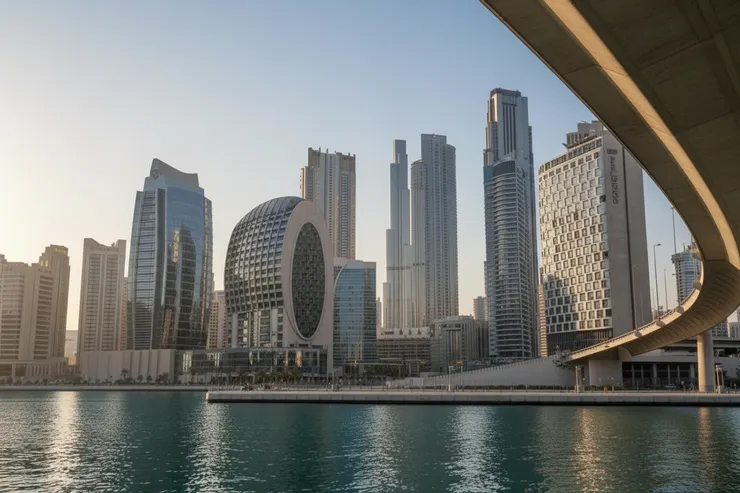
The next step involves uploading carefully curated reference images to guide the sketch-to-render AI workflow. These references define the intended visual direction, including façade materials, lighting conditions, scale, and overall atmosphere. From the Burj Khalifa’s sleek glass exterior and reflective surfaces to the warm desert light and surrounding Dubai skyline, reference photos help the system understand how the final exterior should look and feel. Using high-quality, well-aligned references ensures the generated render remains true to the Burj Khalifa’s iconic presence while accurately capturing the elegance and modern character of Dubai architecture.



ReRender
Step 3: Start the Rendering Process
With the concept sketch and reference images prepared, the final step is to initiate the rendering process. Once the render command is activated, the AI system begins analyzing the hand-drawn lines alongside the visual references, interpreting form, scale, materials, and environmental lighting. Within moments, these inputs are transformed into a refined, lifelike visualization of the Burj Khalifa, capturing its soaring verticality, reflective façade, and the distinctive atmosphere of Dubai’s skyline.
Bonus: Reimagining the Burj Khalifa Through Style and Creativity
When exploring new creative directions or testing alternative visual identities, AI-driven sketch-to-render tools provide a wide range of pre-designed style templates to work from. These templates allow designers to experiment with different atmospheres, lighting conditions, material expressions, and artistic moods. From a dramatic nighttime skyline with illuminated glass façades to a soft sunrise scene emphasizing Dubai’s desert light, this workflow makes it easy to reinterpret the Burj Khalifa across multiple visual styles—opening new possibilities for architectural exploration, client presentations, and visual storytelling.

Islamic Moorish

Islamic Mughal
Conclusion
What continues to stand out is how quietly yet profoundly technology is reshaping the way architects visualize the built environment. Render AI Exterior workflows, powered by tools like ReRender AI’s Sketch-to-Render technology, go beyond simply accelerating the rendering process—they fundamentally change how ideas are explored, communicated, and refined. Tasks that once demanded large teams, complex software setups, and hours of manual work can now be completed in minutes, allowing architects to focus more on design intent, atmosphere, and storytelling. From an early concept sketch to a polished exterior visualization of iconic Dubai architecture, this shift is not just about efficiency—it’s about rediscovering creativity and redefining what’s possible in architectural visualization in the AI era.








